5 Signs You Need a Design System (and What to Do Next)
Ever had that sinking feeling when the product you ship looks nothing like the beautiful mock-ups in Figma? Or when every button seems different, tickets about UX and UI keep piling up in your backlog, and progress feels painfully slow? That’s usually your product waving a flag saying: help, I need a design system.
Here are the most common signals:
1. Your product doesn’t match the designs
If what’s in production keeps drifting away from the intended designs, it’s a clear sign you need a design system. Without shared components, developers and designers end up making small compromises that add up to inconsistent user experiences.
2. Design and development feel slow
When every screen, button, layout, or component has to be rebuilt, delivery grinds to a halt. A design system provides reusable building blocks that accelerate product development and reduce design debt.
3. Inconsistent design across products
Even in small teams of designers and developers, mismatched styles, colours, and interactions creep in over time. A design system ensures brand identity and UX consistency, so every product feels like it belongs to the same family.
4. Confused users and poor UX
If users are contacting you to ask how to complete simple tasks, or if the same action works differently across your app or site, it’s a strong signal you need a scalable design system that enforces clarity and accessibility.
5. Teams struggle to stay aligned
From developers rebuilding components in slightly different ways, to marketing and product applying branding inconsistently, lack of a design system causes friction and lost time. A system creates a single source of truth that aligns everyone.
Other red flags
- Endless debates about which component or style to use.
- Accessibility issues creeping in due to missing standards.
- Designers and developers wasting time copy-pasting old assets instead of innovating.
- Branding not aligned with marketing efforts or failing to showcase company values.
What happens if you don’t fix it?
Things keep getting slower.
Designers burn out, developers get cynical, and stakeholders lose confidence.
You start accumulating so much design debt that eventually someone pulls the plug and says:
“We need to fix this — now.”
Except by then, you’re already in the hole.
Starting a design system can feel like a big commitment, but the best time to start was six months ago. The second best time is today.
Where to start with a design system
A good design system is more than a library of parts — it’s a set of principles, tools, and agreements that help teams deliver faster and more consistently. Yes, it includes tokens, components, and libraries.
But it also covers:
- Governance
- Documentation
- Naming conventions
- Real examples and edge cases
- Accessible colour systems
- Developer alignment
- Change request processes
Real-world example
Building a scalable design system at RS Group
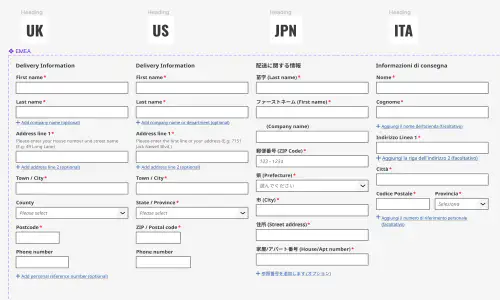
At RS Group, we built and rolled out the Ion design system globally across EMEA and APAC. We moved dozens of designers onto a shared Figma library, aligned developers on consistent components, and rebuilt our colour and component foundations to meet WCAG and EAA accessibility standards.
The result? A 30% improvement in delivery speed across design and development.
You don’t need a system tomorrow — you need a plan today
You don’t have to stop everything and build a complete design system overnight.
Start with one thing. One component. One source of truth.
Build momentum. Align your people. Then scale it out.
Key Take Away
If your product, designs, or user experience feel inconsistent, slow, or unclear, a design system can bring alignment. Even a modest start — a few core components and guiding principles — can accelerate delivery, improve accessibility, and build user trust.TL;DR
Featured work
ion Design System
Global design system for RS Group
- Design System
- E-commerce
- B2B
Created a scalable, accessible design system adopted across RS Group’s global digital teams, aligning Figma and Tailwind through design tokens.
Client Onboarding
KYC onboarding for wealth management — faster, clearer, fewer errors
- SaaS
- Fintech
- Onboarding
- KYC
Co-created a configurable, advisor-led onboarding flow that reduced friction for investors and managers, and achieved 100% pre‑launch adoption with pilot customers.