Not Everyone Who Uses Accessibility Features Is Disabled
Many people think accessibility is something for someone else — people with visible or diagnosed disabilities. But the truth is, most of us use accessibility features every day without realising it. Increasing text size. Watching TV with captions on, something that has become entirely normal. Switching to dark mode after a long day.
Inclusive design isn’t a niche craft. It’s a way of building products that work better for everyone, in every situation. Accessibility is a rising tide that lifts all ships — and the “hidden users” it helps are often us.
What We Miss When We Design for “Average”
Design often assumes an average user — a person with perfect vision, hearing, mobility, and concentration. That mythical user doesn’t exist.
Research suggests that more than one-in-five mobile users increase their font size — and nearly half of global streaming users keep subtitles on all the time, even when they don’t identify as hearing-impaired. That’s not disability; it’s comfort, usability, and age. When designers ignore such behaviours, they don’t just fail people with disabilities — they fail the majority.
Hidden users blend in because they don’t identify as disabled. They might not request accommodations, but they rely on accessibility features just the same. When we test designs only in “ideal” conditions, we exclude them quietly.
The Hidden User in Action
I once worked with a business owner who thought his product looked broken on his laptop. When we met to review it in person, I immediately saw the issue: his browser was zoomed to 600%.
I hadn’t realised he used that setting — and he never mentioned any visual impairment. Maybe he had one, maybe not. But what mattered wasn’t why he zoomed in. It was that the product became unusable when he did.
That moment made something clear: people adapt technology to fit their needs, not labels. Our job as designers is to make sure it works either way.
Microsoft’s Inclusive Design Toolkit illustrates this perfectly. It shows how disability can be:
- Permanent (a missing limb, deafness)
- Temporary (a broken arm, ear infection)
- Situational (carrying a baby, working in bright sunlight)
When we design for the permanent, we automatically support the temporary and situational. The ramp built for a wheelchair user also helps a parent with a pram or a delivery driver with a trolley. Accessibility scales humanity.
Why Accessibility Is Good Business
Many organisations treat accessibility as compliance — a legal box to tick. But inclusive design is also a moral and commercial advantage.
Legal
In the UK and EU, accessibility standards (like WCAG 2.2 and the European Accessibility Act) are legal obligations. Non-compliance can lead to reputational and financial risk.
Moral
Design is about empathy and equity. Accessibility ensures that digital products aren’t just available but usable — regardless of ability, context, or device.
Commercial
If more people can use your product, you can reach — and sell to — more customers. Accessibility widens your market and reduces friction for everyone.
Here’s a perspective that often clicks with business owners:
SEO bots are blind users.
The same semantic structure that helps screen readers navigate your site also helps Google understand it.
Accessibility and discoverability grow together.
Accessibility isn’t a “nice to have”. In KANO model terms, it’s a basic expectation. Users may not thank you for it — but they’ll definitely leave if it’s missing.
Designing in the Round
I like to think of usability “in the round”: something that can be used by mouse, touch, keyboard, screen reader, or voice. It’s not about building special features for specific users — it’s about making experiences flexible and forgiving.
Sometimes good design means getting out of the way. Letting users choose how they interact, without enforcing a single path.
A few inclusive habits that elevate any product:
- Use semantic HTML so assistive technologies can understand your interface.
- Allow text and zoom scaling without breaking layouts.
- Keep touch targets large enough for every hand, not just small ones.
- Offer light and dark modes that maintain contrast and readability.
- Make error states clear in more than one way — colour, text, and iconography.
Inclusive design is just good design tested under more realistic conditions.
It Happened to Me
That 600% zoom conversation changed the product — and the mindset behind it. Once we designed for scale flexibility, the layout improved for all users. Large screens looked cleaner; smaller screens handled responsive typography better; performance improved because we restructured CSS for adaptability.
By designing for an extreme case, we fixed common usability issues. Accessibility became not an edge consideration, but a design accelerant — improving resilience, performance, and delight.
Action Checklist: Building for Hidden User
- Assume variety. Test interfaces at 200–400% zoom.
- Check keyboard and voice navigation paths. Can you tab through every control logically?
- Allow text resizing. Don’t lock font sizes or viewport scaling.
- Write meaningful alt text. Describe what matters, not what’s obvious.
- Support multiple input types. Touch, mouse, keyboard, assistive tech.
- Don’t overhelp. Let users choose their own adaptations.
- Design with colour contrast in mind. Aim for WCAG 2.2 AA or above.
- Include diverse testers. Ask real people with different setups to use your product.
- Review regularly. Accessibility isn’t a one-off audit — it’s part of continuous improvement.
Making the Invisible Visible
Accessibility isn’t about disability — it’s about diversity. Every user has moments when their abilities fluctuate: eyes tired, hands full, attention split. When we design for that variability, we make better products for everyone.
The hidden users are already here. The question is whether your design sees them.
Get in touch to discuss inclusive design and how to make your products usable in the round.
Featured work
ion Design System
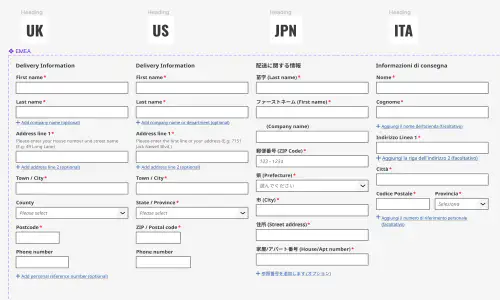
Global design system for RS Group
- Design System
- E-commerce
- B2B
Created a scalable, accessible design system adopted across RS Group’s global digital teams, aligning Figma and Tailwind through design tokens.
Client Onboarding
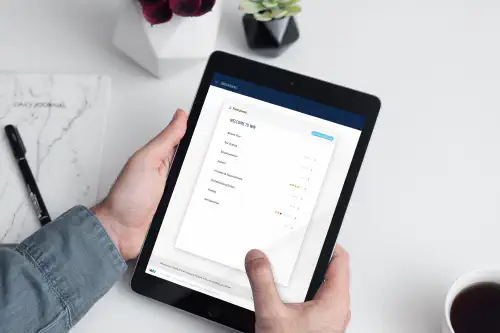
KYC onboarding for wealth management — faster, clearer, fewer errors
- SaaS
- Fintech
- Onboarding
- KYC
Co-created a configurable, advisor-led onboarding flow that reduced friction for investors and managers, and achieved 100% pre‑launch adoption with pilot customers.